
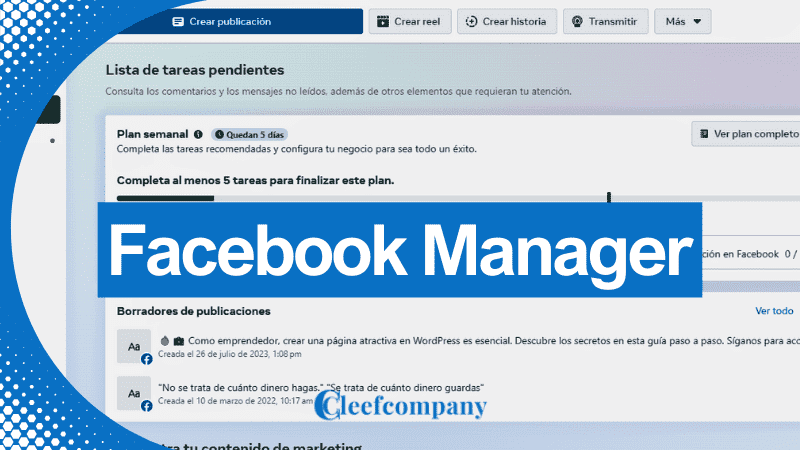
Can you imagine having a tool that centralizes all the management of your social media presence and efficiently optimizes your advertising campaigns?
Do you want to discover how Facebook Manager can transform your marketing strategy and take your business to the next level?
Keep reading and we'll reveal everything you need to know about this powerful platform and how to get the most out of it.
What is Facebook Manager?
Facebook Manager, also known as Business Manager, is a platform developed by Facebook that allows businesses and agencies to manage all their pages, ad accounts, and other Facebook assets in one place.
Why is this important for business?
The importance of Facebook Manager lies in its ability to centralize the management of various activities on Facebook.
This not only simplifies management, but also improves coordination and efficiency, allowing companies to optimize their advertising campaigns and marketing strategies.
Advantages and disadvantages of Facebook Manager

Advantages of Facebook Manager
1. Centralization of Management:
It allows you to manage multiple pages and advertising accounts from a single control panel.
2. Improvement in Collaboration:
It allows you to assign specific roles to different team members, improving collaboration and coordination.
3. Access to Detailed Reports:
It offers advanced analytics tools that allow you to track and optimize advertising campaigns effectively.
4. Security:
It increases security by allowing you to configure specific permissions for each user, protecting sensitive business information.
Disadvantages of Facebook Manager
1. Learning Curve:
For new users, the platform may seem complex and it may take time to adapt to all its features.
2. Configuration Errors:
Incorrect permission settings can result in access and security problems.
3. Platform Dependence:
If Facebook experiences outages or technical problems, campaign management may be affected.
How to Set Up a Facebook Manager Account

Setting up a Facebook Manager account is a simple process that will allow you to manage all your business activities on Facebook from one place.
Next, I'll explain step by step how to do it:
Step 1: Access Business Manager
To begin, you need to log in to the Facebook Business Manager platform.
Follow these steps:
1. Visit the Facebook Business Manager website:
Open your browser and go to Facebook Business Manager
2. Log in with your personal Facebook account:
If you don't have a Facebook account, you'll need to create one.
3. Click on “Create a new account” and “Sign up with Facebook”:
This option will allow you to begin the setup process.
Step 2: Create an account
Once you have accessed Business Manager, it's time to create your business account:
1. Enter your business name:
This will be the name you will use to identify yourself within Business Manager.
2. Provide your personal details:
Include your name and work email address.
3. Complete your business information:
Add details such as address, phone number and your company website.
4. Review and confirm the information:
Make sure all the information entered is correct before continuing.
Step 3: Add Facebook Pages
After creating your account, you need to add the Facebook pages you want to manage:
1. Go to the “Business Settings” section:
This option is located in the main menu of Business Manager.
2. Select “Accounts” and then “Pages”:
Here you will see the option to add pages.
3. Click on “Add”:
You can choose to add an existing page, request access to a page, or create a new page.
Add an existing page:
If you already have a Facebook page, simply enter the page name or URL.
Request access to a page:
If you need to manage a page that isn't yours, send an access request.
Create a new page:
If you don't already have a Facebook page for your business, you can create a new one directly from here.
Step 4: Invite people to your company
To maximize the use of Facebook Manager, it's important to collaborate with other members of your team:
1. Access the “Business Settings” section:
Same as in the previous step.
2. Select “Users” and then “People”:
Here you can manage who has access to your Business Manager account.
3. Click on “Add”:
Enter the email addresses of the people you wish to invite.
4. Assign specific roles:
Facebook Manager allows you to assign different roles (such as administrator, editor, or analyst) to each user according to the needs of your business.
Administrator:
He has full access to the account, including role and permission settings.
Editor:
You can create and manage content and ads, but you cannot change account settings.
Analyst:
He only has access to the reports and data analysis.
By following these steps, you will have properly configured your Facebook Manager account, allowing you to efficiently manage all your marketing and advertising activities on Facebook.
Ready to begin?
Key Features of Facebook Manager

Facebook Manager is a powerful and versatile tool that offers a variety of features designed to optimize the management of your activities on Facebook.
Below, I explain some of its key features in detail:
Page and ad account management
One of the main advantages of Facebook Manager is the ability to centralize the management of multiple pages and ad accounts.
This includes:
1. Page Management:
Add and Manage Pages:
You can add all the Facebook pages of your business and manage them from a single place.
This makes it easier to update content and interact with your audience.
Content Publication and Programming:
It allows you to publish and schedule posts on different pages, ensuring a constant and organized presence.
2. Advertising Account Management:
Create and Manage Ads:
It facilitates the creation of advertising campaigns, allowing you to design personalized and specific ads for different audiences.
Campaign Monitoring:
You can track the performance of your campaigns in real time, adjusting strategies according to the results obtained.
Permission and role management
Facebook Manager allows you to define and assign specific roles to your team members, ensuring that each person has access only to the functions necessary for their job.
This translates to:
1. Role Assignment:
Administrator:
You have full control over the account, including the ability to add or remove users and modify key settings.
Editor:
You can create and manage content, as well as monitor advertising campaigns, but you cannot modify high-level settings.
Analyst:
They only have access to the data and analytics, allowing them to monitor performance without being able to modify content or settings.
2. Permission Control:
Custom Permissions:
You can define specific permissions for each user, ensuring that they only access the necessary information and tools.
Security and Control:
Increase security by limiting user access and actions, protecting your business's sensitive information.
Reports and data analysis
The ability to analyze and understand data is crucial to the success of any marketing strategy.
Facebook Manager provides advanced tools for:
1. Report Generation:
Customized Reports:
You can create detailed reports on the performance of your campaigns, including key metrics such as impressions, clicks, conversions, and more.
Data Export:
Reports can be exported in various formats (such as CSV or PDF) for more detailed analysis or to share with other team members.
2. Data Analysis:
Real-Time Monitoring:
It allows you to track the performance of your ads and real-time updates, facilitating immediate adjustments to improve results.
Audience Segmentation:
Analyze the behavior of different segments of your audience, allowing you to adjust your strategies to improve the effectiveness of your campaigns.
These key features of Facebook Manager not only simplify the management of your activities on Facebook, but also provide the necessary tools to optimize your campaigns and improve your business results.
Ready to take advantage of everything Facebook Manager has to offer?
Business Benefits

Facebook Manager offers a number of significant benefits that can transform the way businesses manage their activities on Facebook.
Below, I explain in detail how these advantages can positively impact your business:
Centralization of Facebook management
Centralizing management is one of the biggest benefits of using Facebook Manager.
This feature allows you to:
1. Time Saving:
Manage from a Single Panel:
Instead of managing multiple accounts and pages from different locations, you can do it all from a single control panel, saving time and reducing complexity.
Task Automation:
The platform allows you to automate certain tasks, such as scheduling posts, freeing up time for you to focus on other areas of your business.
2. Error Reduction:
Unified Access:
Having all assets in one place minimizes the risk of making mistakes due to scattered information or the use of multiple platforms.
Control and Monitoring:
It facilitates the monitoring and supervision of all activities, ensuring that established standards and objectives are met.
Improvement in collaboration and coordination
Facebook Manager not only centralizes management, but also significantly improves collaboration and coordination within teams:
1. Clear Role Assignment:
Defined Roles:
You can assign specific roles to each team member, ensuring everyone knows exactly what they need to do and what their responsibilities are.
Custom Permissions:
By defining custom permissions, you can control access to different parts of the platform, avoiding confusion and errors.
2. Facilitating Communication:
Integrated Tools:
The platform allows direct communication between team members, facilitating collaboration and the exchange of ideas.
Project Coordination:
It allows for more efficient coordination of campaigns and projects, ensuring that everyone involved is on the same page and working towards the same goals.
Monitoring and optimization of advertising campaigns
One of the most powerful aspects of Facebook Manager is its ability to offer advanced analytics and tracking tools, which are crucial for optimizing advertising campaigns:
1. Detailed Analysis:
Customized Reports:
The platform generates detailed reports that allow you to analyze the performance of your campaigns in depth, identifying what works and what doesn't.
Real-Time Monitoring:
You can see the results of your campaigns in real time, allowing you to make immediate adjustments to improve performance.
2. Investment Optimization:
Data-Based Adjustments:
Using the data obtained from the reports, you can make informed decisions about where to invest your advertising budget to get the highest return on investment.
A/B testing:
Facebook Manager allows you to perform A/B testing, which makes it easy to experiment with different variables (such as creatives and audiences) to find the most effective combinations.
These benefits not only make Facebook management more efficient, but also significantly improve the results of advertising campaigns, helping you achieve your business goals more effectively.
Ready to take advantage of all these benefits with Facebook Manager?
Tips for Maximizing the Use of Facebook Manager

To get the most out of Facebook Manager and optimize the management of your activities on Facebook, it is essential to follow certain practical tips.
Here I explain some of the most important ones in detail:
Keep your account organized
Organization is key to efficient management.
Here's how to keep your account well organized:
1. Organize your assets:
Categorize your Pages and Accounts:
Group your pages and ad accounts into clear categories to make them easier to manage.
This will help you quickly find what you need and avoid confusion.
Label and Name Correctly:
Use descriptive names and labels for each asset.
For example, if you have multiple pages for different products, make sure the names clearly reflect their purpose.
2. Clearly assign roles:
Define Roles and Permissions:
Establish clear roles (administrator, editor, analyst) for each team member, making sure everyone understands their responsibilities and limitations.
Update the Roles Periodically:
Review and regularly update roles and permissions to adapt to the changing needs of your business and team.
Use reporting tools to make decisions
Facebook Manager's reporting tools are essential for making informed decisions.
Here's how to use them effectively:
1. Generation of Detailed Reports:
Customize your reports:
Configure custom reports that align with your business objectives.
You can include key metrics such as impressions, clicks, conversions, and return on investment.
Regular Reports Program:
Set a frequency for generating reports (daily, weekly, monthly) that allows you to continuously monitor the performance of your campaigns.
2. Data Analysis for Decision Making:
Identify Trends and Patterns:
Use the data from the reports to identify trends and patterns in your audience's behavior.
This will help you proactively adjust your marketing strategies.
Make Data-Based Adjustments:
Based on the report results, make adjustments to your advertising campaigns, such as modifying the budget, changing the creatives, or segment better to your audience.
Take advantage of content scheduling features
Content scheduling is a powerful tool for maintaining a consistent and organized presence on Facebook.
Here's how to get the most out of this feature:
1. Publication Planning:
Content Calendar:
Create an editorial calendar that details when and what content will be published.
This helps you maintain consistent scheduling and plan long-term marketing campaigns.
Balance Different Types of Content:
Make sure to include a variety of content types (articles, videos, images, polls) to keep your audience interested and engaged.
2. Use of Programming Tools:
Advance Programming:
Use the Facebook Manager scheduling tool to prepare and schedule posts in advance.
This is especially useful for managing posts during major events or promotional campaigns.
Schedule Optimization:
Analyze engagement reports to determine the best times to post and schedule your content at those times to maximize visibility and interaction.
By following these tips, you can maximize the use of Facebook Manager, improving the efficiency of your management and the performance of your Facebook campaigns.
Are you ready to put these tips into practice and take your Facebook management to the next level?
Common Mistakes and How to Avoid Them

Despite the advantages that Facebook Manager offers, it's easy to make mistakes that can negatively affect your experience and the results of your campaigns.
Below, I explain some of the most common mistakes and how to avoid them to ensure efficient and effective management:
Not configuring permissions properly
Setting up permissions correctly is essential to protect your account security and ensure that all team members can perform their tasks smoothly.
Here's how to do it:
1. Incorrect Role Assignment:
Identify the Team's Needs:
Before assigning roles, understand the functions and responsibilities of each team member.
Make sure each person only has the access necessary for their job.
Review and Update Roles Regularly:
As your team and business evolve, review and adjust permissions to maintain security and efficiency.
2. Lack of Custom Permissions:
Use Specific Permissions:
Instead of granting full access to all users, use custom permissions to limit access to specific features.
This helps prevent errors and unauthorized access.
Safety Training:
Train your team on the importance of safety and how to properly use their permits to avoid risks.
Not taking advantage of all available features
Facebook Manager offers a wide range of features that can significantly improve the management of your campaigns.
Failing to take advantage of these features may limit your ability to maximize results.
Here's how to get the most out of it:
1. Lack of knowledge of the functionalities:
Explore the Platform:
Take time to explore all the tools and features that Facebook Manager offers.
This includes asset management, data analytics, and collaboration tools.
Use Learning Resources:
Take advantage of the tutorials, guides, and educational resources provided by Facebook to familiarize yourself with all the features.
2. Underutilization of Tools:
Implement Advanced Strategies:
Use advanced segmentation, A/B testing, and analytics tools to optimize your campaigns.
These tools allow you to customize your strategies and improve results.
Integration with Other Platforms:
Consider integrating Facebook Manager with other marketing and analytics tools you're already using to get a more complete and coordinated view of your activities.
Failure to properly track reports
Regularly monitoring reports is crucial to understanding the performance of your campaigns and making necessary adjustments.
Failure to do so may result in ineffective strategies and missed opportunities.
Here's how to keep proper track:
1. Lack of Regular Monitoring:
Establish Follow-Up Routines:
Schedule regular reviews of your reports, whether daily, weekly, or monthly, depending on the volume of your campaigns and the need for frequent adjustments.
Report Automation:
Configure automatic report generation to ensure you don't miss important data and receive constant updates on performance.
2. Superficial Data Analysis:
Delve deeper into the data:
Don't just review the basic metrics.
Delve deeper into the data to understand your audience's behavior, the factors that influence conversions, and other important trends.
Act Based on Data:
Use the insights gained from the reports to make informed adjustments to your campaigns.
This includes changing creatives, adjusting budgets, and redefining audiences.
Avoiding these common mistakes and following these recommendations will help you use Facebook Manager more efficiently and effectively, optimizing your campaigns and improving your business results.
Ready to implement these tips and avoid mistakes in your Facebook Manager management?
The Future of Facebook Manager

Facebook Manager will continue to evolve and improve to meet the changing needs of users and businesses in the future.
Below, I explain some of the emerging trends in social media management that could influence the development of Facebook Manager:
1. Integration with Other Platforms:
Multi-Social Network Solutions:
Facebook Manager is expected to integrate with other social media platforms such as Instagram, Twitter, and LinkedIn.
This integration will allow users to manage all their social media accounts from a single control panel, facilitating more efficient and coordinated administration.
Consolidation of Marketing Tools:
Integration with additional marketing tools, such as Google Analytics and CRM, will offer a more complete solution for campaign analysis and management, allowing users to gain a more holistic view of their marketing strategies.
2. Analytics Improvements:
Customized and Detailed Reports:
Facebook Manager will continue to improve its data analysis capabilities, providing more customized and detailed reports.
This will allow users to gain deeper insights into their audience's behavior and the performance of their campaigns.
Advanced Data Visualization:
The platform is expected to include more advanced data visualization tools, such as interactive charts and customized dashboards, that will facilitate information interpretation and data-driven decision-making.
Predictive Analytics:
With the incorporation of artificial intelligence and machine learning technologies, Facebook Manager could offer predictive analytics that help users anticipate trends and adjust their marketing strategies accordingly.
3. Automation and Personalization:
Campaign Automation:
The automation of processes such as the creation, management, and optimization of advertising campaigns will be a key trend.
This will allow users to save time and resources while ensuring the effectiveness of their marketing strategies.
Advanced Customization:
Facebook Manager is expected to offer more advanced customization options, allowing users to tailor their campaigns more precisely to the needs and preferences of their audience.
4. Focus on User Experience:
Improved User Interface:
With the goal of making the platform more intuitive and easier to use, Facebook Manager will continue to improve its user interface, simplifying navigation and access to key tools.
Support and Training:
As the platform becomes more complex, Facebook Manager is expected to offer more support and training resources, such as interactive tutorials and real-time support, to help users maximize their use of the tool.
These emerging trends and potential improvements indicate that Facebook Manager will continue to be an essential tool for businesses looking to optimize their social media presence.
The platform will not only adapt to the current needs of users, but will also anticipate future demands, offering innovative and effective solutions for digital marketing management.
Are you ready to take advantage of all the future improvements to Facebook Manager and take your marketing strategy to the next level?
Conclusion
Facebook Manager is a comprehensive tool that can transform the way you manage your marketing activities on Facebook.
With its ability to centralize administration, improve collaboration, and offer advanced analytics tools, it allows you to optimize your campaigns and maximize your business results.
From the correct configuration of permissions to detailed reporting tracking, every aspect of Facebook Manager is designed to deliver efficiency and effectiveness.
By implementing the tips and avoiding the common mistakes we've discussed, you'll be able to get the most out of this platform and take your marketing strategies to the next level.
No matter the size of your business, Facebook Manager can help you achieve your goals in a more organized and effective way.
Have you encountered any challenges while using Facebook Manager, or do you have any additional tips to share?
Leave us a comment with your experience or question and let's continue the conversation!
Frequently Asked Questions about Facebook Manager
What is Facebook Manager?
Facebook Manager is a platform that allows businesses to manage all their Facebook pages and ad accounts from one place.
Is it difficult to learn how to use Facebook Manager?
It may have an initial learning curve, but with practice and exploration, it becomes easier to use.
Can I add multiple Facebook pages to a single Facebook Manager account?
Yes, you can add and manage multiple pages from a single Facebook Manager account.
Is it safe to use Facebook Manager for my business?
Yes, it offers multiple levels of security and permissions to protect your business's sensitive information.
Can I invite other members of my team to use Facebook Manager?
Yes, you can invite other members and assign them specific roles within the platform.
What types of reports can I get with Facebook Manager?
Facebook Manager offers detailed reports on the performance of your campaigns, the behavior of your audience, and much more.
How much does it cost to use Facebook Manager?
Facebook Manager is free, although you will need a budget for your advertising campaigns.
Can I use Facebook Manager to manage other social media platforms?
It is primarily designed for Facebook and Instagram, but you can integrate other tools for broader management.
How can I optimize my advertising campaigns in Facebook Manager?
Use the analytics and tracking tools to adjust and improve your campaigns based on the data obtained.
What is the future of Facebook Manager?
Facebook is expected to continue improving the platform with new features and tools to facilitate marketing management.






 Spanish
 English
0 Comments